
.webp)
Introduction
TikTok has established itself as a leading social media platform where creators showcase their talent through dance, singing, and showing skills of their choice. On another level, it has emerged as one of the most popular social commerce platforms in the e-commerce industry. The problem here is that the seller needs both to create content to make sales and manage e-commerce operations for consistency and growth.
Let’s be real, content creation is a full-time job, and ecommerce operations is like a task for the team. Managing both simultaneously creates the need for a solution like NetSuite that simplifies e-commerce operations. Businesses need to integrate TikTok and NetSuite for smooth data automation. This blog aims to educate you on TikTok NetSuite Integration, so you can go ahead and incorporate the same into your business.
What is TikTok NetSuite Integration?
TikTok and NetSuite can be integrated through a software or integration tool, allowing them to communicate and transfer data seamlessly. This integration helps to ensure seamless business automation of day-to-day operations. Businesses can connect to the required 3PL providers for seamless order fulfillment, delivery, and real-time inventory sync.
It speeds up day-to-day processes and smooths the flow of operations within the business. Also, analyzing data and sales trends becomes easier with NetSuite. To sum it up, NetSuite and TikTok integration allow you to bring different business departments, processes, and sales channels for scalability and growth.
To simplify these operations, MapMyChannel provides a seamless integration solution designed specifically to meet the evolving needs of e-commerce sellers.
Key Features of MapMyChannel for TikTok NetSuite Integration
To understand how MapMyChannel, the API based application, can help grow your business, you need to know the features provided:
1. Settlement Sync
Settlement Sync is the smart way to manage marketplace finances efficiently. It automatically matches payouts, fees, and charges from platforms like TikTok Shop, Amazon, or Shopify with your ERP system, such as NetSuite. It puts up all the information on a centralized dashboard, helping sellers track sales, refunds, expenses, and inventory value.
2. Inventory Sync
Inventory Sync keeps stock levels updated in real time on TikTok Shop. It centralizes inventory data, prevents errors, and ensures sellers always have accurate visibility of what’s available across the warehouse. The purpose is to simplify multi-channel selling by preventing overselling, reducing manual work, and improving customer trust.
3. Order Sync
Order Sync automatically transfers and processes orders from the TikTok Shop marketplace to the centralized dashboard. It updates inventory instantly, manages fulfillment, and provides a unified view of sales, tracking, and customer details. The purpose is to simplify order management by eliminating manual entry, preventing overselling, and reducing fraud.
4. Tracking Sync
Tracking Sync enables sellers to control orders and shipping details in real time across marketplaces. It automates tracking notifications and connects seamlessly with ERP and 3PL partners for smooth fulfillment. The purpose is to prevent overselling, reduce manual errors, and speed up deliveries.
How Do NetSuite eCommerce Integrations Work?
NetSuite integration is not so difficult to install; you just need to know the right way to go. You have the following two options:
1. NetSuite Connector
NetSuite provides a built-in tool called NetSuite Connector, which helps businesses sync data between NetSuite and multiple e-commerce stores or point-of-sale systems. While it’s straightforward to use, connectors generally offer fewer customization options. So, it does not fit the needs of every seller.
2. Third-Party NetSuite Solution Provider
Many third‑party NetSuite Solution Providers build custom integrations with NetSuite. These setups are usually quick to implement, highly customizable, and give you direct support from experienced cloud software professionals who understand your business needs.
Step-by-Step Process to Connect TikTok to NetSuite
The process to connect NetSuite with TikTok Shop is really easy through MapMyChannel. Here it goes:
Step 1: Create an Account
Enter your name, email, and password on MapMyChannel to create an account. Then, sign in to start the onboarding.
Step 2: Onboarding Process
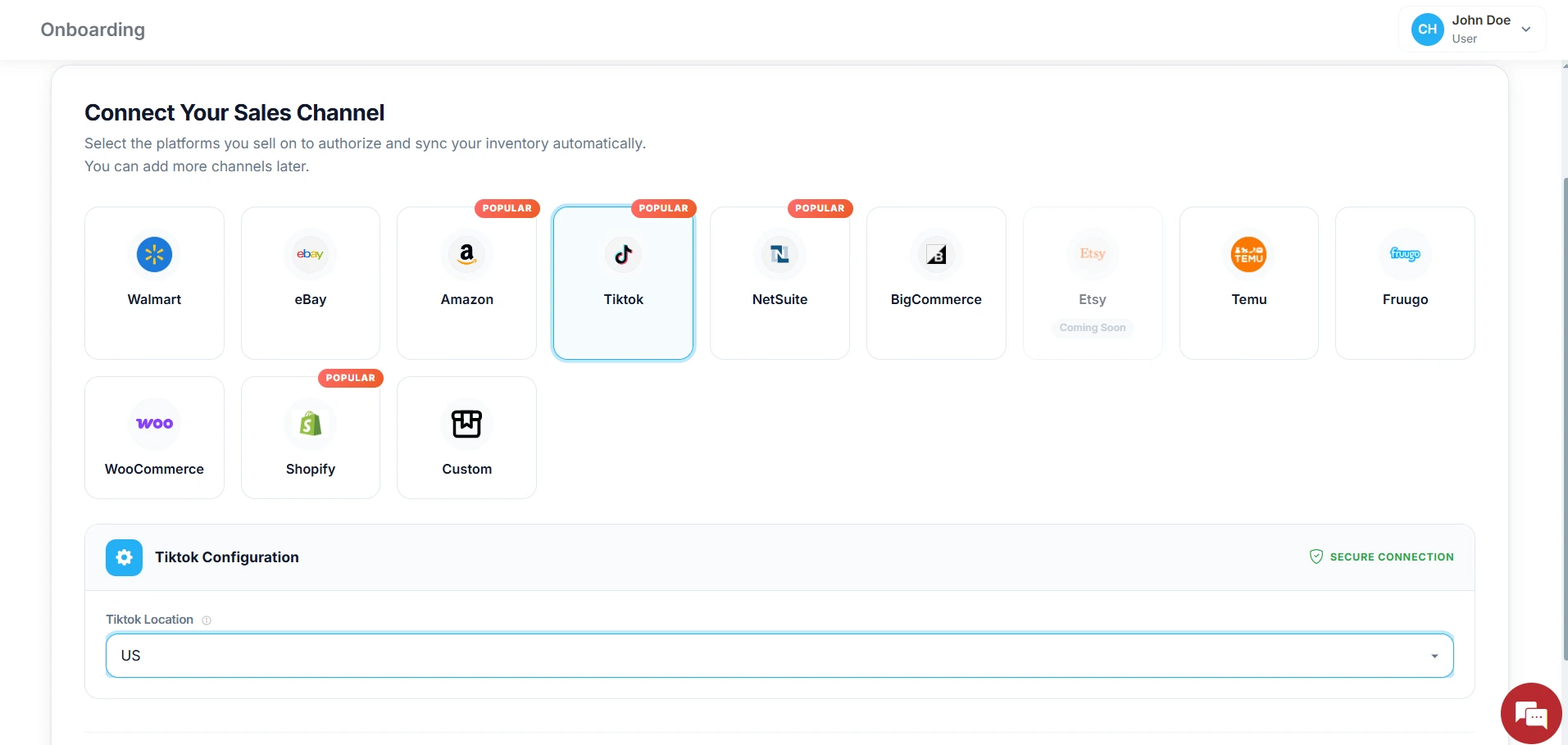
Choose TikTok Shop as your preferred sales channel.
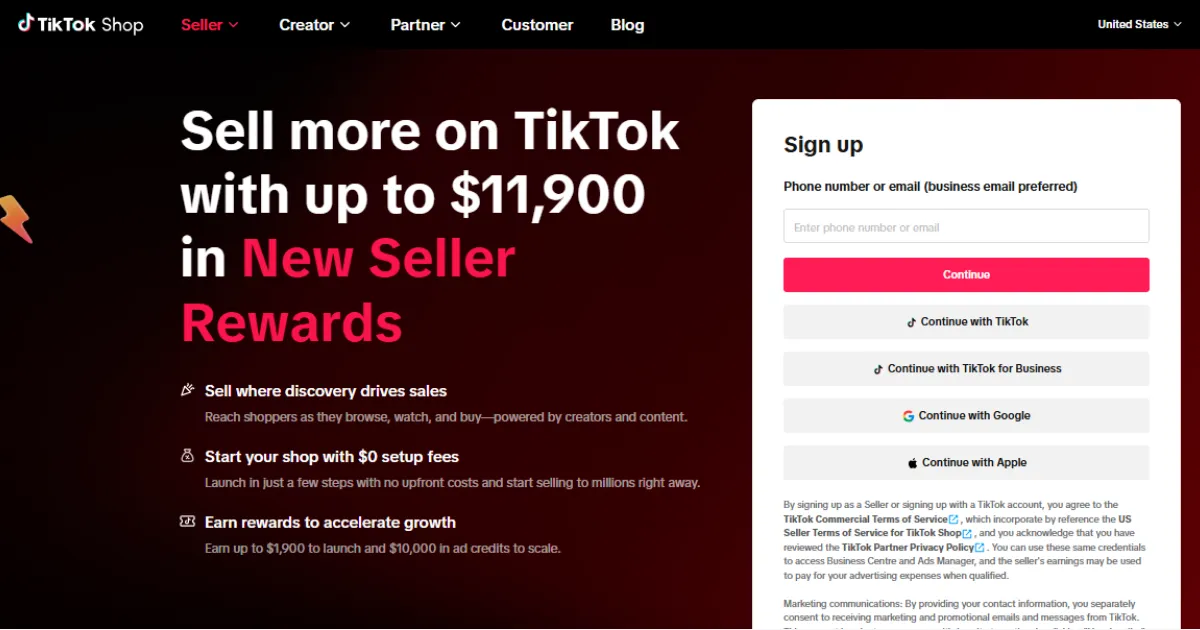
You will then be redirected to TikTok Seller Center, where you can securely log in and authorize the connection.
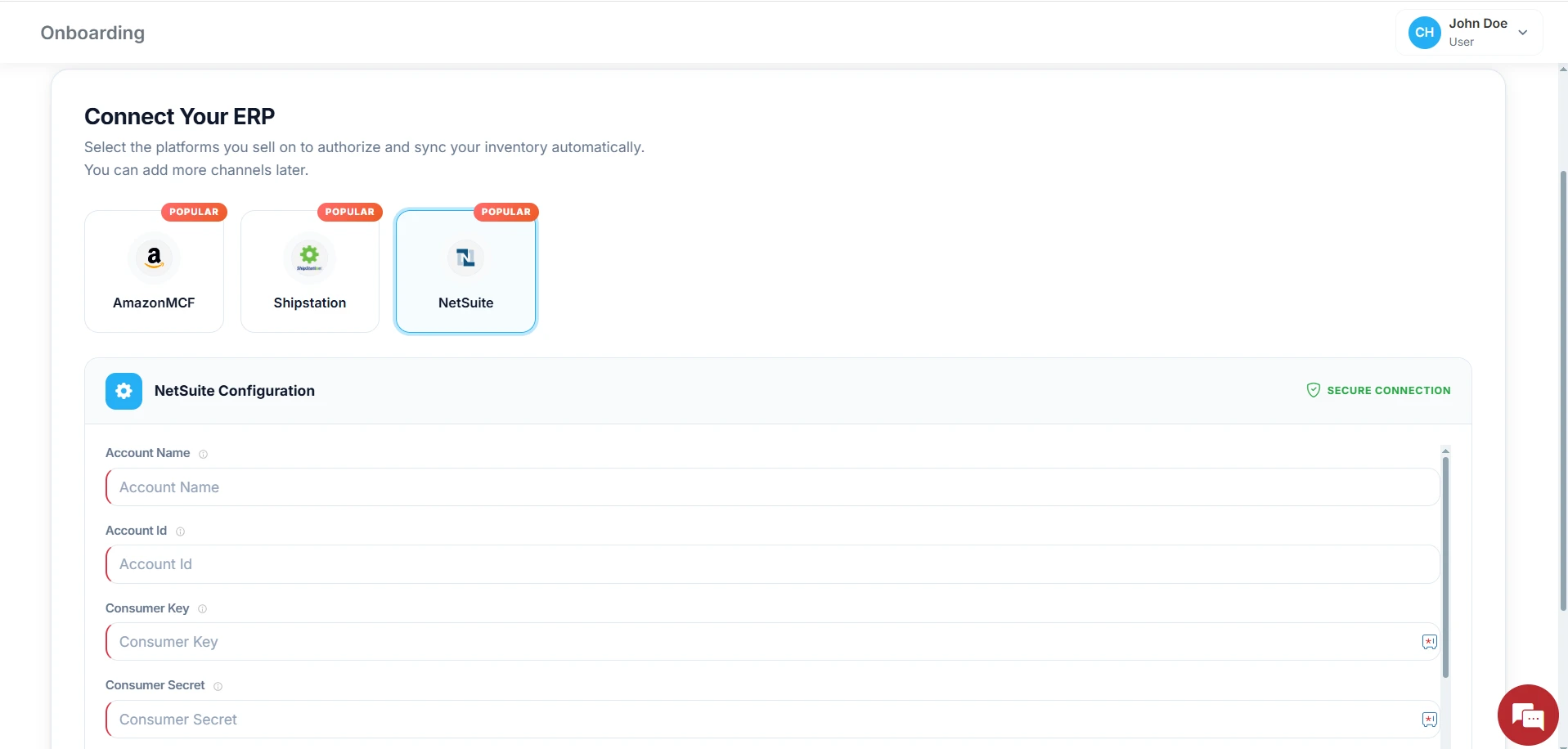
After successful authorization, choose NetSuite as your preferred ERP system to establish the integration connection.
Step 3: Make the required Setting
Change the configuration setting from the MapMyChannel dashboard in your NetSuite admin panel.
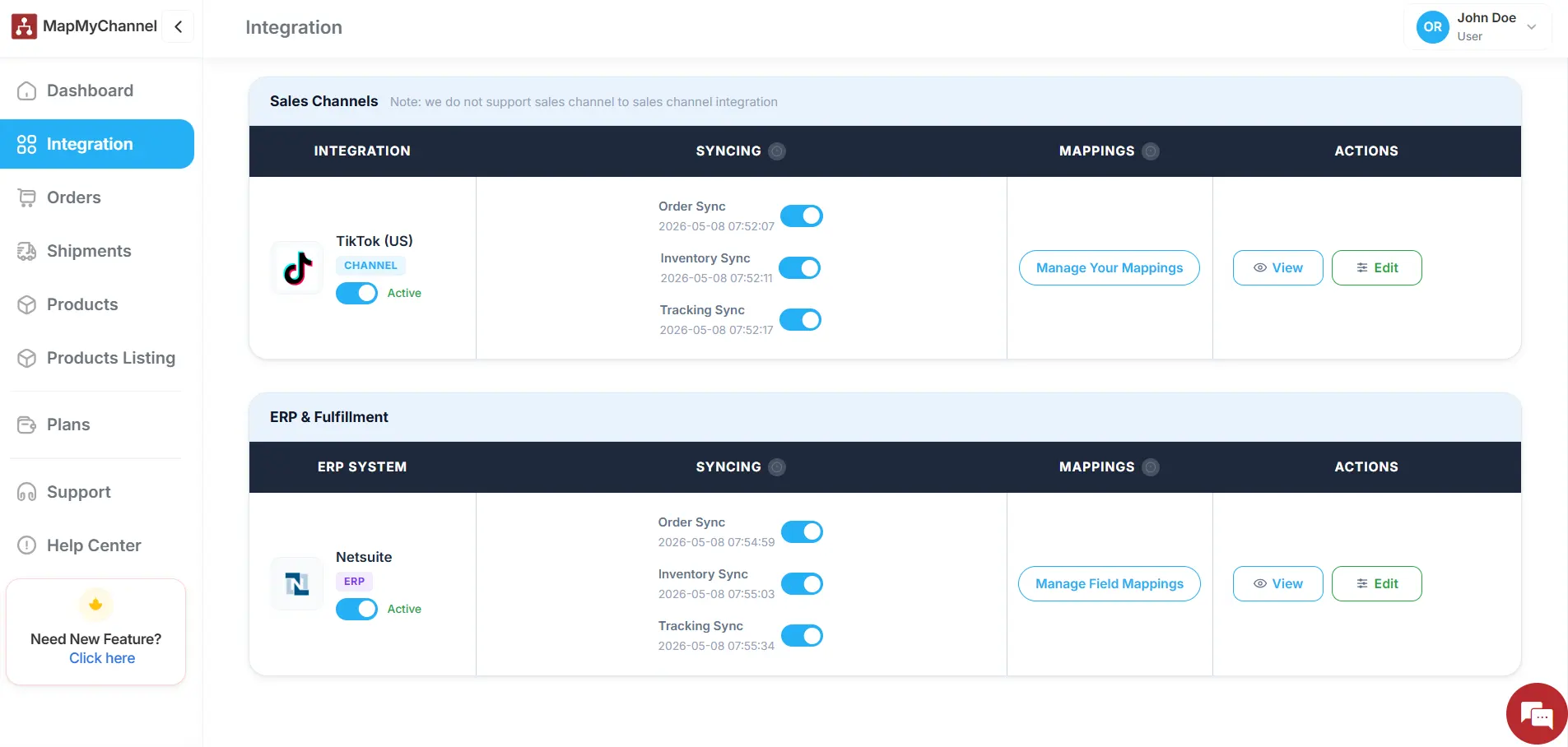
Step 4: Test and Optimize
Once done, Review system performance to ensure seamless data synchronization.
Final Word…
NetSuite and TikTok Shop integration helps your business to perform efficiently without having to manage multiple tasks single-handedly. Now, you can actively focus on content creation for your channel while the integration application automates order processing and seamless order fulfillment. Also, the seller can take time to think out of the box for the product promotion or reach out to influencers for collaboration and marketing. There is a lot you can do for your business while MapMyChannel automates e-commerce operations.
Boost your business performance with seamless TikTok Shop and NetSuite integration through MapMyChannel.
Get in Touch

.webp)

.webp)


